Best Internet for Smart Home Devices
Estimated reading time: 10 minutes
Key Takeaways
- Understanding the specific internet requirements for various smart home devices.
- Determining the right internet speed based on the number of devices.
- Reviewing top internet service providers for smart homes.
- Setting up and securing your smart home network for optimal performance and security.
- Troubleshooting common internet issues faced by smart home users.
Table of contents
In today's digital age, smart home devices have become integral to enhancing our daily comfort and security. From controlling your home's temperature with smart thermostats to securing it with advanced surveillance cameras, these devices offer convenience, improved security, and energy efficiency. However, to truly unlock the potential of your smart home, it's essential to choose the best internet for smart home devices. Reliable internet is crucial as these smart devices rely heavily on stable connections to function optimally. Unreliable internet can lead to lagging devices or even security vulnerabilities. In this article, we will explore understanding internet requirements for smart homes, determining the right internet speed, reviewing top internet service providers, setting up and securing your smart home network, and troubleshooting common issues.
Understanding Smart Home Internet Requirements
Overview of Smart Home Devices
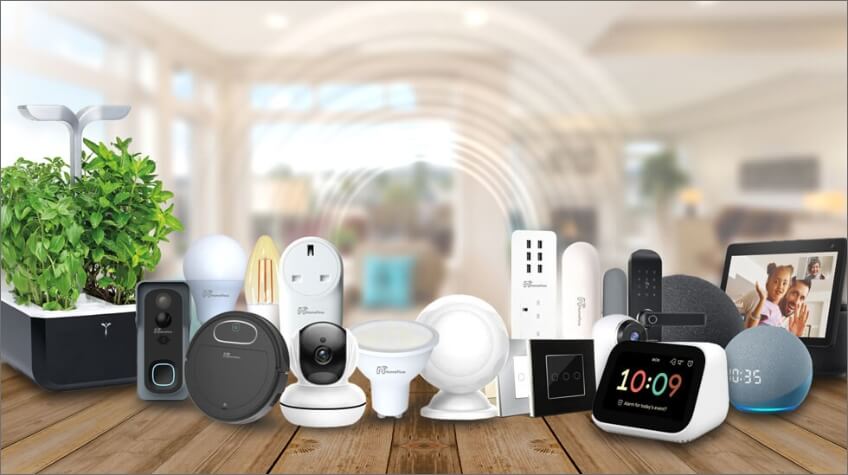
Smart homes consist of a variety of devices, each contributing to the overall internet demand:
- Smart Thermostats: These devices allow you to control home temperatures remotely. Learn more
- Security Cameras: Monitor your property in real-time. Best practices
- Smart Speakers: Voice-activated assistants like Alexa or Google Home.
- Smart Lighting: Automated and remote-controlled lighting systems.
- Connected Appliances: Refrigerators, washers, and more with smart capabilities. Discover more
Collective Internet Demands
Each smart device adds to the overall bandwidth usage. The more devices you have operating simultaneously, the greater the internet demand.
Bandwidth Allocation per Device
It is recommended to allocate approximately 5 Mbps for every 12 smart home devices. This ensures each device operates without performance issues. Read more
Importance of Sufficient Internet Speed
Insufficient bandwidth can lead to slow response times or device disconnections, disrupting the seamless operation of your smart home.
Determining the Right Internet Speed for Your Smart Home
Internet Speed Requirements Based on Device Count
It's crucial to choose the right internet speed based on the number of devices:
- 1-2 devices: Up to 25 Mbps is sufficient.
- 3-5 devices: Opt for 50 - 100 Mbps.
- More than 5 devices: Consider 150 to 200 Mbps.
For homes with multiple high-bandwidth devices, such as 4K streaming devices or online gaming consoles, consider higher speeds (200 Mbps or higher). Details here
High-Bandwidth Devices
Some devices require more bandwidth, such as:
- Security cameras streaming in HD or 4K.
- Smart TVs streaming 4K content.
- Online gaming consoles.
Impact of Concurrent Usage
Simultaneous usage of multiple devices can strain the network, so it is important to ensure your internet plan can handle your household's activity.
Assessing Your Specific Needs
Follow this step-by-step guide to assess your internet speed needs:
- Step 1: List all smart devices and note their bandwidth requirements.
- Step 2: Add up the total bandwidth needed.
- Step 3: Consider potential future device additions.
- Step 4: Choose an internet plan that exceeds this total to ensure smooth performance.
Top Internet Service Providers for Smart Homes
Criteria for Evaluating ISPs
When selecting the best internet for smart home devices, consider the following criteria:
- Speed: High download and upload speeds to handle multiple devices.
- Reliability: Consistent uptime to keep smart devices connected.
- Data Caps: Prefer ISPs with unlimited data to prevent overage charges.
- Customer Support: Responsive service for quick issue resolution.
- Pricing: Competitive rates with value-added features.
Detailed Reviews of Leading ISPs
- AT&T Fiber
- Offers fiber-optic internet with speeds up to 1 Gbps.
- No data caps and low latency.
- Ideal for heavy smart home usage. Read more
- Verizon Fios
- Reliable fiber-optic service with symmetrical speeds.
- Provides network extenders for comprehensive coverage.
- Strong customer satisfaction ratings. Read more
- Xfinity
- Wide availability with speeds up to 2 Gbps in select areas.
- Offers bundled packages for additional savings.
- Advanced security features included. Read more
- Spectrum
- No data caps on any plans.
- Simple package options with high speeds.
- Contract-free service. Read more
- CenturyLink
- Fiber plans offering speeds suitable for smart homes.
- "Price for Life" guarantee on some plans.
- No contracts required. Read more
Tips for Choosing the Best ISP
- Check availability in your area.
- Compare plans based on speed, price, and terms.
- Read customer reviews for real-world insights.
Setting Up Smart Home Wi-Fi for Optimal Performance
Importance of Proper Wi-Fi Configuration
Proper Wi-Fi setup affects device performance and connectivity. Here's how to optimize your setup:
Step-by-Step Guide to Setting Up Wi-Fi
- Step 1: Router Placement
- Place your router in a central, elevated position away from obstructions and electronic interference.
- Avoid placing near walls or metal objects.
- Step 2: Configure Network Settings
- Access the router's admin panel via a web browser.
- Change default login credentials to secure the router.
- Set up a unique SSID (network name) and strong password.
- Step 3: Use Dual-Band or Tri-Band Routers
- Utilize both 2.4 GHz and 5 GHz bands to distribute device load.
- Assign smart home devices to the 2.4 GHz band for better range.
- Step 4: Implement Mesh Wi-Fi Systems
- Consider mesh networks for larger homes to eliminate dead zones.
- Mesh systems use multiple nodes to provide seamless coverage.
- Step 5: Network Segmentation
- Create separate networks for smart devices and personal devices to enhance security and performance.
- Assign smart devices to a dedicated IoT network.
- Step 6: Regular Firmware Updates
- Check for and install router firmware updates to improve security and functionality.
Additional Tips
- Enable Quality of Service (QoS) settings to prioritize smart device traffic.
- Disable unused features like WPS and UPnP to reduce security risks.
Common Smart Home Internet Issues and How to Resolve Them
Issue 1: Slow Internet Speeds
Symptoms: Devices respond slowly or experience lag.
Causes:
- Bandwidth saturation from too many devices.
- Outdated router or hardware limitations.
Solutions:
- Upgrade to a higher-speed internet plan.
- Limit background data usage on devices.
- Replace old routers with newer models supporting the latest Wi-Fi standards (e.g., Wi-Fi 6).
Issue 2: Wi-Fi Dead Zones
Symptoms: Areas in the home where Wi-Fi signal is weak or nonexistent.
Causes:
- Physical obstructions like walls or floors.
- Interference from other electronic devices.
Solutions:
- Reposition the router to a more central location.
- Use Wi-Fi extenders or mesh systems to boost signal.
- Reduce interference by keeping router away from other electronics like microwaves or cordless phones.
Issue 3: Device Disconnections
Symptoms: Smart devices frequently disconnect from the network.
Causes:
- Network instability.
- Overloaded network with too many devices.
Solutions:
- Restart the router and devices to refresh connections.
- Update firmware on both router and devices.
- Consider a router with higher capacity or a dedicated IoT network.
Issue 4: Intermittent Connectivity
Symptoms: Internet connection drops intermittently.
Causes:
- ISP service issues.
- Faulty cables or hardware.
Solutions:
- Check ISP service status or contact support.
- Inspect and replace damaged cables.
Troubleshooting Tips
- Perform regular speed tests to monitor internet performance.
- Use network monitoring tools to identify bandwidth hogs.
- Factory reset devices if persistent issues occur.
Securing Your Smart Home Devices Online
Importance of Smart Home Security
Unsecured devices face risks such as hacking, privacy breaches, and unauthorized access. Security is a critical aspect of a smart home setup.
Strategies to Secure Smart Devices
- Use Strong, Unique Passwords
- Avoid default or easily guessable passwords.
- Use a combination of letters, numbers, and symbols.
- Consider using a password manager.
- Enable Two-Factor Authentication (2FA)
- Adds an extra layer of security beyond just passwords.
- Example: Receiving a code via SMS or an authentication app.
- Regularly Update Device Firmware
- Check for updates from manufacturers to patch security vulnerabilities.
- Set devices to auto-update if possible.
- Set Up a Separate Network for Smart Devices
- Create a guest or IoT network distinct from your main network.
- Prevents potential breaches from accessing personal data.
- Steps to Create a Separate Network:
- Log into your router's admin panel.
- Navigate to wireless settings and enable "Guest Network" or create a new SSID.
- Set a unique, strong password for this network.
- Connect all smart devices to this new network.
- Use a VPN for Added Security
- Encrypts internet traffic and hides IP addresses.
- Consider routers that support VPN connections.
- Disable Unnecessary Features
- Turn off features like Universal Plug and Play (UPnP) which can be exploited.
Regular Security Audits
- Periodically review device settings.
- Remove unknown devices from your network.
- Check logs for suspicious activities.
Optimizing Your Internet Plan for Future Smart Home Expansion
Planning for Scalability
- Choose Flexible Internet Plans
- Select plans that allow easy upgrades without penalties.
- Consider ISPs offering tiered packages.
- Opt for Fiber Internet if Available
- Benefits of fiber-optic connections:
- Higher speeds up to 1 Gbps or more.
- Lower latency for real-time device communication.
- More stable connections less affected by environmental factors.
- Monitor Bandwidth Usage
- Use ISP-provided tools or third-party apps to track data consumption.
- Identify times of peak usage and potential bottlenecks.
Stay Informed About Emerging Technologies
- Future-Proof Your Network
- Be aware of upcoming smart home devices and technologies.
- Example: Integration of IoT devices requiring higher bandwidth.
- Invest in Advanced Networking Equipment
- Routers supporting the latest Wi-Fi standards (e.g., Wi-Fi 6E).
- Equipment capable of handling multiple simultaneous connections.
Considerations for Large Households
- Discuss the impact of multiple users and devices on network performance.
- Recommend enterprise-grade solutions for extensive smart home systems.
Consultation with Professionals
- Suggest seeking advice from network specialists for complex setups.
- ISPs may offer professional installation services.
Conclusion
Recap of Key Points
Choosing the best internet for smart home devices involves understanding your home's specific requirements, selecting a reliable ISP, setting up your network properly, and securing your devices online. By assessing your current setup and planning for future expansion, you can maximize the performance of your smart home.
Final Thoughts
Investing in the right internet plan is crucial for a seamless smart home experience.
Call to Action
Now is the perfect time to upgrade your internet plan to match your smart home's needs. Explore the top ISP options to find the best fit for your connected lifestyle.
Encourage Plan Comparison
- Compare internet plans from the reviewed ISPs using these resources:
Provide Useful Tools
- Use these tools to check your current internet speed and monitor your network:
Reach out to ISPs for personalized advice and ensure your smart home is equipped with the most reliable internet. Consider reading more on smart home setups and stay updated with smart home technology by signing up for newsletters.
By following these guidelines, you can ensure a smooth and secure smart home experience, ensuring all your devices work seamlessly with the best possible internet connection.
Frequently Asked Questions
Q1: What is the minimum internet speed required for a basic smart home setup?
A1: For a basic smart home with 1-2 devices, a minimum of 25 Mbps is recommended.
Q2: How can I secure my smart home network from hackers?
A2: Use strong, unique passwords, enable two-factor authentication, regularly update firmware, and set up a separate network for smart devices.
Q3: Are fiber-optic internet plans better for smart homes?
A3: Yes, fiber-optic internet offers higher speeds, lower latency, and more stable connections, making it ideal for smart homes.
Q4: What should I do if my smart devices frequently disconnect?
A4: Restart your router and devices, update firmware, and consider upgrading to a router with higher capacity or setting up a dedicated IoT network.
Q5: How can I monitor my home's bandwidth usage?
A5: Use ISP-provided tools or third-party apps to track data consumption and identify peak usage times.